
Comment files
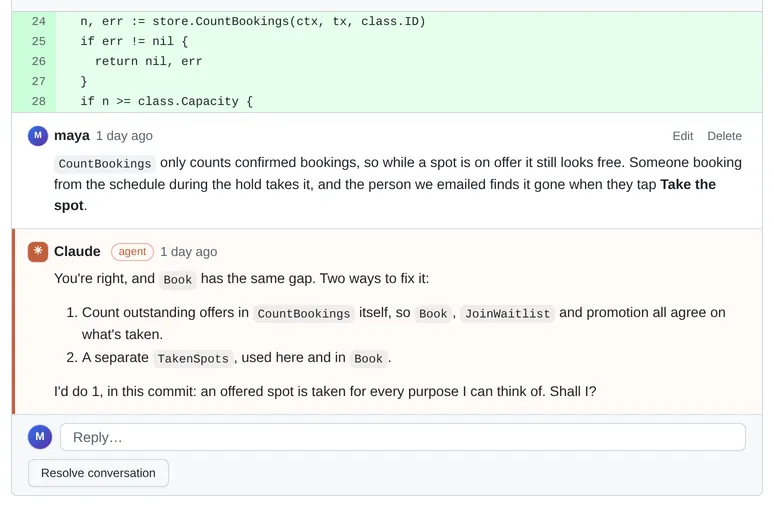
Your review is plain YAML: one file per PR, with its threads, comments and Viewed marks. An agent reads it, replies by
appending a comment with author: claude, and resolves the threads it fully dealt with. The reply shows up in your
browser within about a second, and the threads follow their code when the agent amends or rebases the commits.
How to behave in a review (reply first, when to resolve, how to fix a commit mid-stack) is in the agent guide. This page is the file-level recipe; the full schema is Comment files schema.
A recipe for agents
Section titled “A recipe for agents”-
Find the file for a commit:
~/.local-review/projects/<project>/reviews/<repo>/<full sha>.yaml(ls ~/.local-review/projects/lists the projects). For example:Terminal window ls ~/.local-review/projects/my-feature/reviews/my-service/$(git -C ~/code/my-service rev-parse me/my-feature).yamlRepo names are the
nameinproject.yaml(default: the repo directory name). If there’s no file under that sha but the commit was just rebased, its comments may still be in the old sha’s file:GET http://localhost:5622/api/projects/<project>/repos/<repo>/commits/<sha>/reviewreturnsfile(where they are now),target_fileandcarried_over. Either file can be edited; the server moves it on its next write. -
List the unresolved threads: those with
resolved: false, or noresolved. For example:Terminal window npx yaml --json --single < ~/.local-review/projects/my-feature/reviews/my-service/<sha>.yaml \| jq '.threads[] | select(.resolved != true) | {id, path, line, last: .comments[-1].body}'Or just read the YAML.
path/side/linesay what’s being discussed, on the file’scommit. Usegit show <commit>in the reviewed repo (read-only) for the code. Ifoutdated: true, the code is gone from this commit, andanchor.textis what was commented on. -
Reply: append a comment with
author: claudeto the thread’scommentslist:- author: claudecreated: 2026-10-08T15:00:00Z # optionalbody: |Good catch. Fixed in the next commit by … -
Add a new thread if you need to: append to
threads, withpath/side/linefor an inline comment or without them for a general one. Leave outanchor: the server computes it fromcommiton its next write. -
Don’t change existing
ids. New comments and threads can leave outid: the server assigns one the next time it writes the file. -
Set
resolved: trueto resolve a thread (orfalseto reopen it). -
Keep the file valid YAML. If it fails to parse, the UI shows an error and the server refuses to overwrite it until it’s fixed, so nothing is lost. Write the whole file at once (or via a temp file and a rename).
The server watches ~/.local-review/projects/ and pushes changes to the browser over Server-Sent Events
(/api/events), so edits appear within about a second. Fields the server doesn’t know about are kept. Missing id,
created, resolved or author fields are tolerated: an unknown author shows as “unknown”.
Concurrent edits
Section titled “Concurrent edits”You and an agent can work on the same file at the same time without losing anything.
- The UI never sends a whole file. Every UI action (a new thread, a reply, resolve, edit, delete, Viewed) is an operation that the server applies to a fresh read of the file from disk.
- Writes are serialised per file and atomic (a temp file, then a rename).
- Just before writing, the server re-reads the file. If it changed since it was read (an agent saved it), the operation is re-applied to the new contents and retried, so an agent’s reply saved a moment before the UI’s write is kept.
- A file that is briefly invalid YAML (caught mid-save) is retried for a fraction of a second before the server gives up and refuses to write (HTTP 409; the file is left exactly as it is).
- The server never deletes or truncates a review file. The only rename is the
.superseded-by-…bakone after a rebase re-match, and the only comment deletion is the reviewer deleting their own comment in the UI. See the never-delete guarantee.
After an amend or rebase
Section titled “After an amend or rebase”A file is named after the sha it was written for. When the agent amends or rebases, the commit gets a new sha, and the server finds the old file by patch-id, Change-Id or subject, shows its threads on the new commit, and moves the file on its next write. Inline threads are re-placed by the text they were on. The rules are in Following rebases.
Keep commit subjects stable and unique: a fixup or amend changes the patch, so the subject is what carries the comments across.