
Quickstart
You need Node.js 22 or newer and git. Local Review runs on macOS and Linux. (Windows is untested.)
-
Start Local Review. Run it from any directory:
Terminal window npx local-reviewIt serves the UI on http://localhost:5622. With no projects yet, the page tells you how to create one, which is the next step. Leave it running.
Want to look around first? Add the example projects on that page (or run
npx local-review examples) for a made-up app reviewed across four repos (it’s also at the bottom of the project switcher, later). Remove examples in the sidebar hides them again; nothing is deleted (details). -
Create a project. In another terminal, pick a short name (a slug) for the piece of work you want reviewed:
Terminal window npx local-review init my-featureThis creates
~/.local-review/projects/my-feature/project.yaml, a commented starting point. -
Point it at your branch. Edit
project.yamland list the repo, the branch to review and the base it branched from. Then split the commits into stacks by the subject of the commit each stack starts at:~/.local-review/projects/my-feature/project.yaml title: My featurerepos:- path: ~/code/my-servicebranch: me/my-feature # the range ends at this branch's headbase: origin/main # and starts at its merge-base with thisstacks:- title: Groundworkstarts_at: "Add the config loader"- title: The feature itselfstarts_at: "Add the feature flag"Leave
stacks:out and the whole branch is one stack. A project can list several repos. Every field is on project.yaml. -
Review. Save the file and the browser picks it up; no restart is needed. Each commit is now a PR in the sidebar, in its stack. Read the diffs, leave comments, tick files as Viewed, and mark each PR Ready when you’re happy with it.
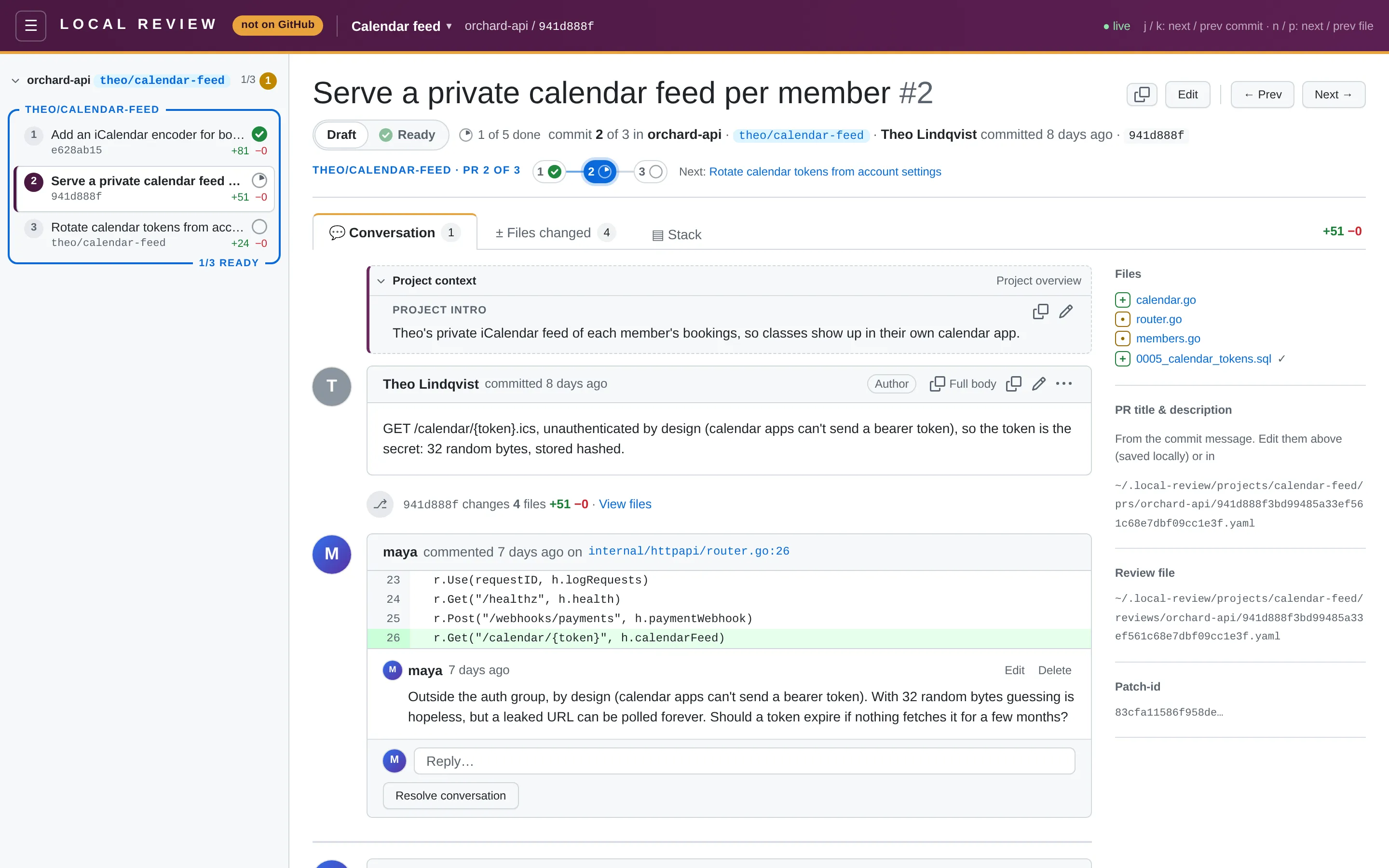
-
Hand it to your agent. Your comments are saved as plain YAML next to
project.yaml. Point your agent at them and it can reply, fix the commits and, when you’re ready, publish the stacks to GitHub. Paste the hand-off prompt into your agent, or start with the agent guide.
Where your data lives
Section titled “Where your data lives”Everything you create lives in plain files in ~/.local-review/, never in the repos you review:
~/.local-review/ projects/ my-feature/ project.yaml # repos, commit ranges and PR stacks prs/<repo>/<full-sha>.yaml # PR title/description overrides, readiness, branch, GitHub PR reviews/<repo>/<full-sha>.yaml # review comments and Viewed marks backups/ # automatic snapshots of projects/Snapshots, restoring and the rest: Where your data lives.
To keep it somewhere else, set LOCAL_REVIEW_HOME, for example to try Local Review out without touching your
real reviews:
LOCAL_REVIEW_HOME=/tmp/lr-demo npx local-reviewTo use a port other than 5622, pass —port <n> or set PORT. See
Environment variables for the rest.
Next steps
Section titled “Next steps”- PR stacks: how stacks are chosen, and why they survive rebases.
- Works with your stacking tool: where Local Review fits next to
gh stack, Graphite, ghstack and the rest. - A tour of the UI: what everything on the screen means.
- Read-only guarantee: why Local Review can’t damage your repos.